Accessible PDFs, Intelligently Tagged
Upload a PDF and get back a properly tagged document with correct reading order, alt text for every image, and an automated validation report.
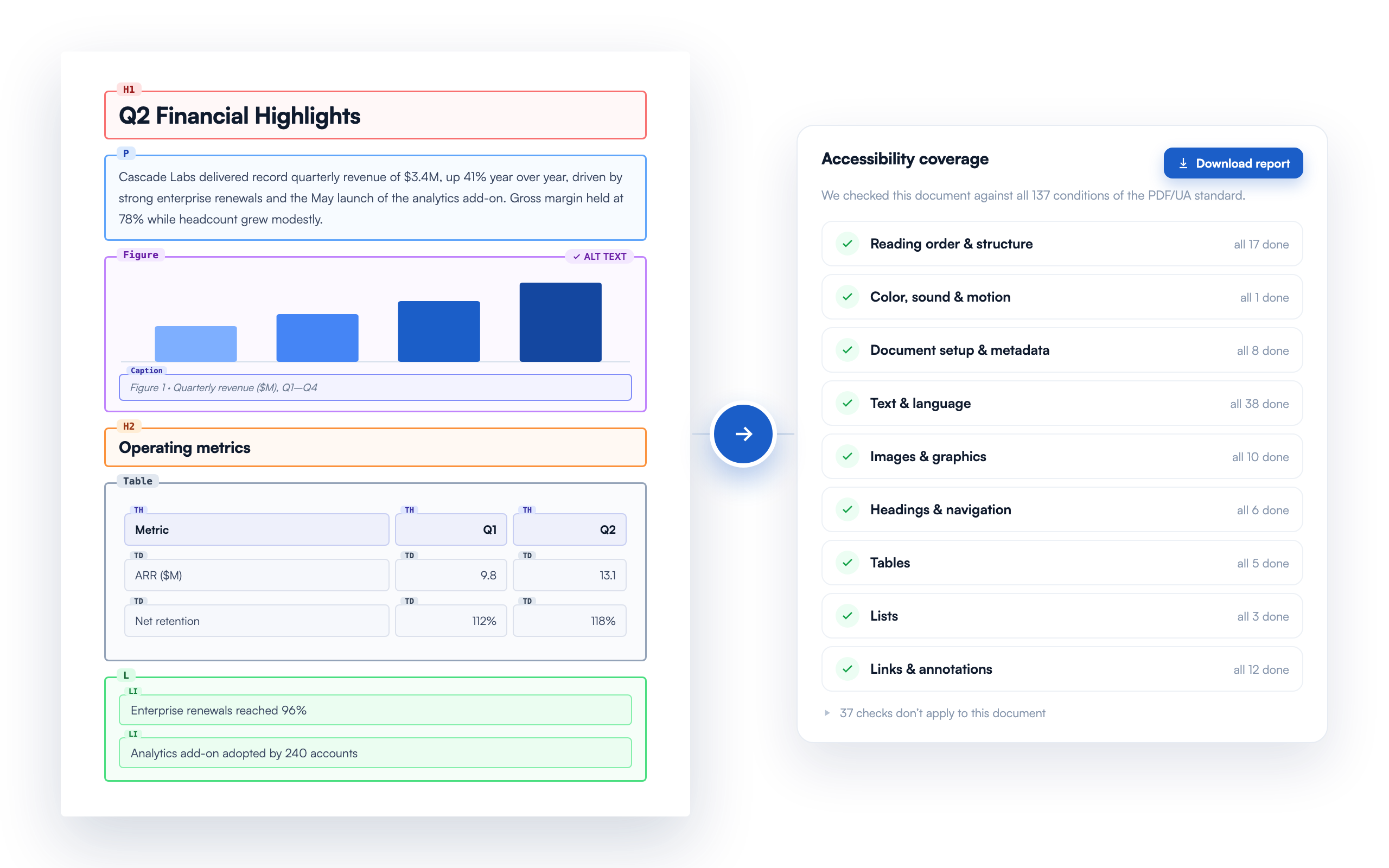
Everything you need for accessible PDFs
A complete pipeline from upload to properly tagged, accessibility-checked output.
A PDF Anyone Can Read
Your documents work seamlessly with screen readers, so people with visual impairments hear content in the right order. Page elements such as headings, lists, and tables are announced the way a sighted reader would naturally scan the page.
Structured for Accessibility Standards
Every document is structured to align with PDF/UA-1 (ISO 14289-1), the ISO standard for accessible PDFs, and the technical foundation for WCAG 2.1 Level AA — the benchmark accessibility auditors use when evaluating documents under Section 508 and ADA compliance frameworks. You get a clear picture of where your documents stand.
Smarter than Fixed Hierarchy Logic
Most companies deduce how elements should be tagged by using strict logic that does not adapt to a variety of PDF formats. We use AI in multiple stages to actually understand your document: what's a heading, what's a caption, what's a list, what belongs together.
| Rule-based toolsfixed logic | PDF Taggermulti-stage AI | |
|---|---|---|
| Decides by | font size & position | meaning & context |
| Every file | one fixed rulebook | adapts to each one |
| Hierarchy | guessed by size | built from context |
Validated, With a Report to Keep
Every output runs through an industry-standard accessibility validator, and you get a downloadable coverage report to match. Your document is checked against every condition of the PDF/UA standard, showing which issues were found and fixed, what still needs your review, and the evidence behind each.
Every Image Described
Images, figures, and graphics all get AI-generated text descriptions, harnessing context from the entire page to produce relevant content. Prefer your own wording? Edit any description right in the web editor.
Scanned Documents, Recovered
Uploading a scan or image-only PDF? We detect it and recover the text and layout with OCR, then tag it like any other document. Words the scan left unclear are flagged with their confidence so you can correct them right in the app. No re-upload, no silent guesses.
See it in action
Explore a real example
Open a live sample to see its tag structure, read the PDF/UA accessibility coverage report, and preview the downloadable report. This is exactly what you get back on your own files.
Explore the interactive demoFrequently asked questions
Accessibility shouldn't be an afterthought.
We make it the default. Upload your first PDF today.
Start Processing →